Punjab’s traffic enforcement system has been completely modernized with the launch of the PSCA E-Challan Website, enabling millions of drivers to check their traffic fines online without visiting any traffic office. In 2025, the Punjab Safe Cities Authority (PSCA) has expanded its digital infrastructure, making challan checking more accurate, faster, and fully accessible through mobile phones, tablets, and laptops.
This detailed IW4S.com.pk guide explains everything about using the online system — how to check your challan, download traffic fines, verify payment status, and understand violations captured by Safe City cameras across Punjab.
What Is the PSCA E-Challan Website?
The PSCA E-Challan Website is the official online platform used by the Punjab Safe Cities Authority to manage traffic violations digitally. Every violation captured through:
- Safe City surveillance cameras
- ANPR (Automatic Number Plate Recognition)
- Digital traffic police devices
- Automated enforcement units
… is uploaded directly to this website.
The system enables citizens to:
- Check e-challans online
- Verify fine status
- Download challan PDFs
- View violation photos
- Pay fines through multiple digital channels
- Track fine history
This makes the entire traffic penalty system transparent and corruption-free.
Check Also: Karachi E-Challans Increase as 90 Traffic Signals Fail — New KTMC Authority Proposed
Why People Use PSCA E-Challan Website in 2025
There are several reasons the online challan system has become essential for all drivers:
1. No Need to Visit Traffic Police Office
Everything from checking challans to paying them is done online, saving time and effort.
2. Automated Evidence-Based System
Photos of violations ensure accuracy and fairness.
3. All Violations in One Place
You can check your entire fine history using CNIC or vehicle number.
4. Easy Digital Payments
Challans can be paid via JazzCash, Easypaisa, mobile banking, ATMs, or bank branches.
5. Reduces Human Error and Disputes
Automated detection eliminates false fines and favoritism.
Information Needed to Check Challan
To check your challan online, you need one of these:
| Method | Required Details |
|---|---|
| By CNIC | Owner’s CNIC number |
| By Number Plate | Vehicle registration number |
| By Challan ID | Fine’s reference number |
How to Use the PSCA E-Challan Website (Step-by-Step 2025 Guide)
Checking your traffic challan online is simple and fast.
Step 1 – Visit the Official Website
Open the official PSCA challan portal on your device.
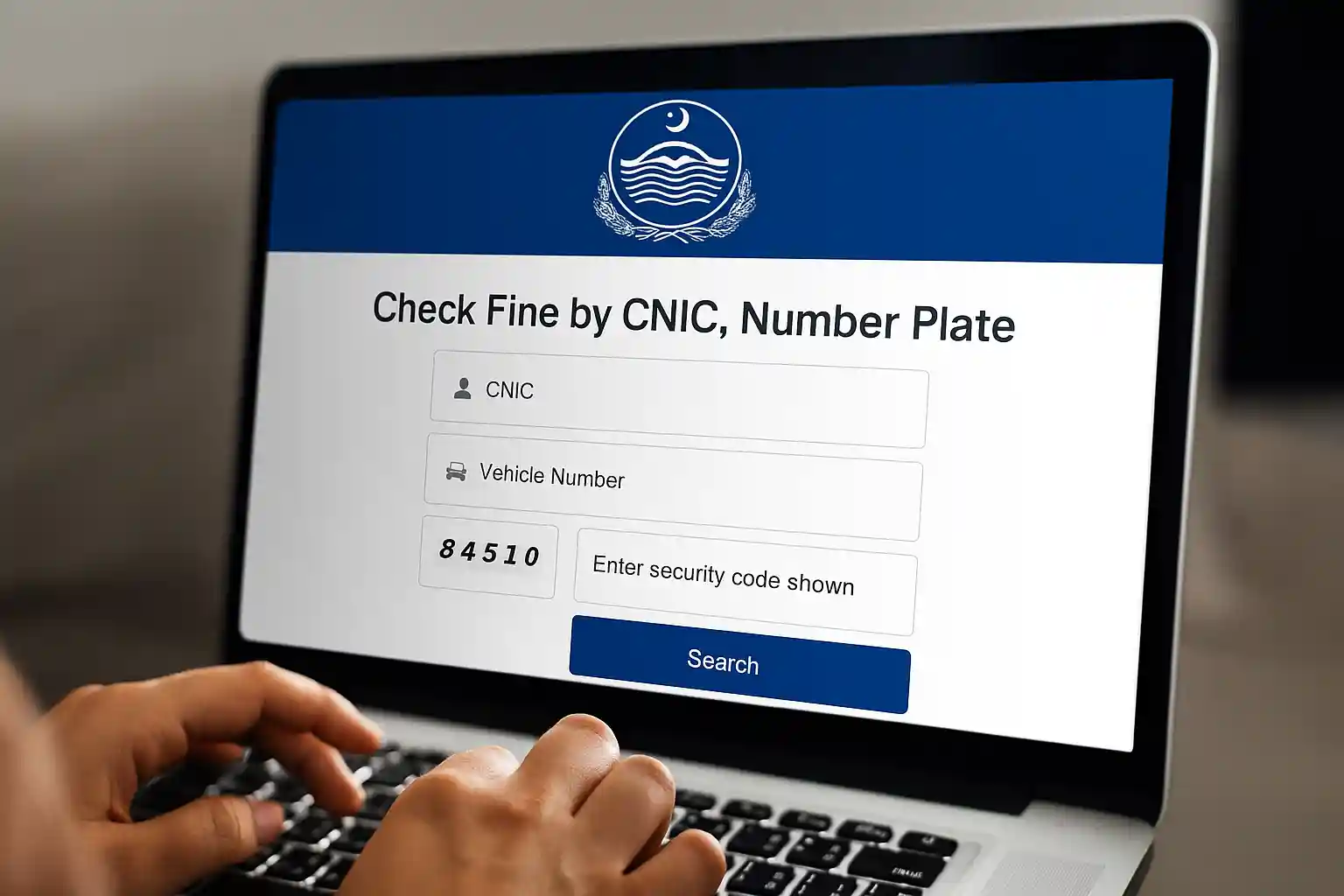
Step 2 – Select Search Method
Choose:
- Search by CNIC
- Search by Vehicle Number
Step 3 – Enter Details Correctly
Type your information carefully, matching the exact format on your registration card.
Step 4 – Enter CAPTCHA
Complete the security code correctly.
Step 5 – Click “Search”
The website will display:
- Fine amount
- Violation type
- Time and date
- Location
- Status (Paid or Unpaid)
- Photo evidence (if available)
- Download option
Multiple challans appear in a list if more than one fine is pending.
How to Download PSCA Traffic Challan PDF
Once your challan appears:
- Click Download PDF
- Save the file on your mobile or laptop
- Print it for bank payment, if required
The PDF challan includes:
- Number plate
- CNIC
- Violation data
- Paid/unpaid status
- QR verification code
- Bank details
Check Also: Why Sindh Wheat Market Is Shifting? Shocking Price Gap Explained!
How to Pay PSCA E-Challan Online (2025 Updated Methods)
Punjab supports multiple convenient digital payment options:
1. JazzCash
- Open JazzCash app
- Select Traffic Challan
- Enter CNIC or Challan ID
- Pay instantly
2. Easypaisa
- Open Easypaisa
- Go to Government Payments
- Select Punjab Traffic Challan
- Enter required details
- Pay securely
3. Mobile Banking Apps
Use the app of your bank:
- HBL
- UBL
- Meezan Bank
- MCB
- Bank Alfalah
- Allied Bank
Go to:
Bill Payments → Government → Traffic Challan
4. ATM Payment
Insert bank card → Bill Payment → Traffic Challan → Enter challan ID → Pay.
5. Bank Counter (Cash Payment)
Print the challan → Visit any 1Link-supported bank → Pay at counter.
How to Verify Paid Challan Status
Follow these steps:
- Visit the PSCA E-Challan Website again
- Search using CNIC or number plate
- Look at challan status
- If updated, it will show PAID, highlighted in green
Payment usually updates within 1–3 hours.
Traffic Violations Captured in 2025
Safe City cameras detect several major violations daily. Here are the common fines:
| Violation | Fine (Rs.) |
|---|---|
| Red Signal Violation | 2,000 |
| Over-speeding | 750–2,000 |
| No Helmet (Bike) | 2,000 |
| Illegal Parking | 500 |
| Fancy / Wrong Number Plate | 5,000 |
| Lane Violation | 1,000 |
| One-way Violation | 2,000 |
| No Seatbelt | 1,500 |
These violations appear automatically in your challan history.
Benefits of Using PSCA E-Challan Website
1. Full Transparency
The system provides complete visibility with timestamps, photos, and evidence.
2. Saves Time & Fuel
No traveling required — everything is online.
3. Zero Corruption
Automated enforcement removes the need for traffic wardens issuing manual tickets.
4. Encourages Safe Driving
Drivers become more careful when they can track their violation history online.
5. Works Anywhere (Even Overseas)
You can check challans from abroad with just CNIC or vehicle number.
Check Also: Careerjobs1737 NESCOM Atomic Energy Jobs 2025 Announced – Apply Online Today
Common Problems & Solutions
❓ Challan not appearing
It may take 24 hours for new violations to sync.
❓ Payment not updating
Wait 1–3 hours. If still unpaid, contact PSCA.
❓ Wrong number plate entry
Enter the exact number format shown on the vehicle registration card.
❓ Duplicate challans
Report the issue with proof (registration book, CNIC, video).
Frequently Asked Questions about PSCA E-Challan Website 2025:
1. Can I check someone else’s challan?
Yes — if you know the number plate or CNIC.
2. Can I dispute a wrong challan?
Yes, by submitting evidence to the PSCA helpline.
3. Is the challan valid without the traffic officer’s signature?
Yes — digital challans do not require physical signatures.
4. Can I pay challan without PDF print?
Yes — for digital payments, only CNIC or challan ID is needed.
5. Is the system available 24/7?
Yes, the website works round-the-clock.
Conclusion – PSCA E-Challan Website 2025
The PSCA E-Challan Website is one of the most reliable and efficient digital services introduced by the Punjab Safe Cities Authority. From checking challans to downloading fines and paying online, the platform provides full transparency and convenience to citizens. In 2025, it stands as an essential tool for safe driving, road discipline, and smooth traffic management across Punjab.
Whether you’re a daily commuter or occasional driver, IW4S recommends regularly checking the PSCA E-Challan Website to stay updated, avoid penalties, and maintain clean traffic records.